Live mode & spectator link
Your game night on the TV – and for everyone who isn't at the table
Playnexi live mode shows the overall standings, running tournaments and results of your night full screen. With a spectator link, friends and family follow along – no account, in real time.
Included in every plan · no app to install · runs in the browser
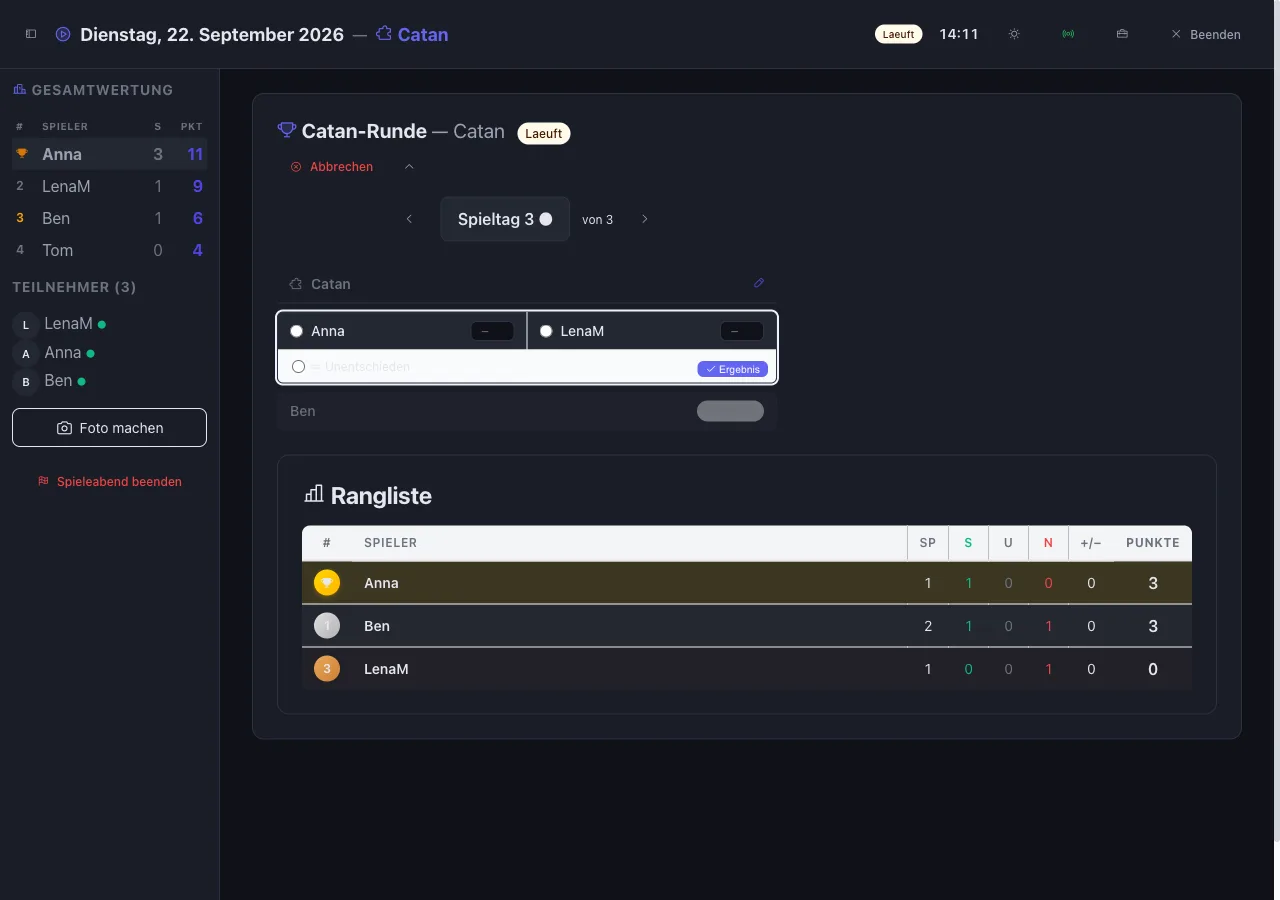
Three steps to the big screen
No projector setup, no table on paper – the night organizes itself on screen.
Start the game night
Open your game night and click “Start game night”. Participants, collection and voting are already there.
Live mode on the TV
Laptop or tablet on the TV, browser in full screen. Record matches and tournaments right there.
Share the spectator link
One click on the broadcast icon, copy the link, send it to the family chat. Whoever can't be there still follows along.
What live mode does
Everything that usually ends up on scraps of paper at the table, in one view.
Overall standings of the night
Points for placements in every match, wins and number of games – the table grows with every result you record.
Matches and tournaments
Free-for-all, team match, co-op or tournament: knockout, double elimination, Swiss system, round robin, points, last man standing, king of the hill, group stage with knockout.
Toolbox
Dice, coin, timer, random player, draw teams, turn order, wheel of fortune for picking a game, score tracker and notes – the right tool for every game.
Voting on screen
Which game is next? The group votes, the result appears live. Several rounds per night are possible.
Photo of the night
A photo for the memories – it goes into the night's recap, not into the spectator view.
Dark or light
The dark theme is easy on the eyes on a TV, the light one suits a living room in daylight. Switch with one click.
Spectator link
Follow along without an account
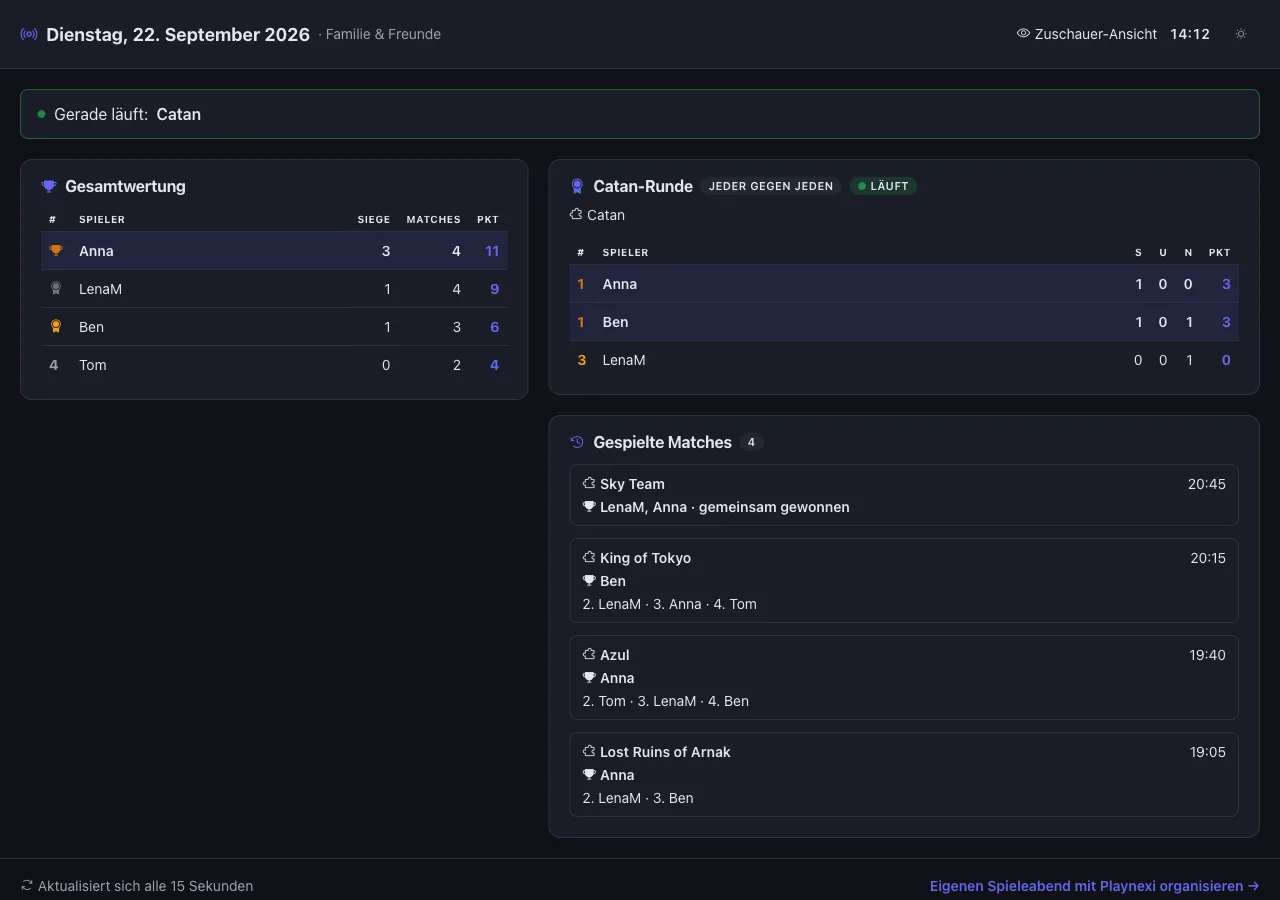
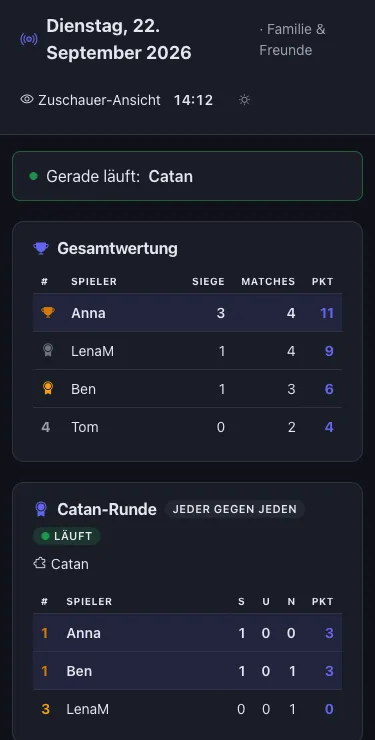
Grandma at home, a friend abroad, parents across town: anyone with the link sees the table, the running tournaments and every result – read-only, refreshed every 15 seconds.
- No account, no app – the link is enough
- Shows player names, tables and results
- Never shows: location, e-mail addresses, notes, photos
- Switch off any time, the old link stops working at once
- Hidden from search engines
Ideas from real game nights
Family night
The TV shows the table, the kids record their own wins, and the grandparents follow the night by link from their own sofa.
Club or store meetup
Projector on, live mode open, and every table sees the same ranking. The spectator link goes into the club chat.
Tournament with an audience
The Catan tournament runs over eight rounds. Whoever is knocked out or had to stay home sees every result live.
Two living rooms, one night
The group plays the same game in two places. One host records the results, both living rooms look at the same table.
“Playnexi live mode shows the overall standings, running tournaments and results of a game night full screen on the TV. With a spectator link, friends and family follow the night in real time without an account.”
Frequently asked questions about live mode
Your next night on the big screen
Register for free, create a game night, open live mode – the spectator link is one click away.
Start for free